The technical SEO checklist for local search rankings

On this page · 1 of 8 ⌄
- Key takeaways
- Why technical SEO matters for local search
- Core technical requirements for local pages
- Google Business Profile and schema setup
- Consistency and citation management
- Performance and crawlability
- Managing multiple locations and regions
- Common technical mistakes and how to audit
A location page that isn't indexed isn't going to rank. It doesn't matter how good the content is, how many reviews you've got or how much work you've put into everything else.
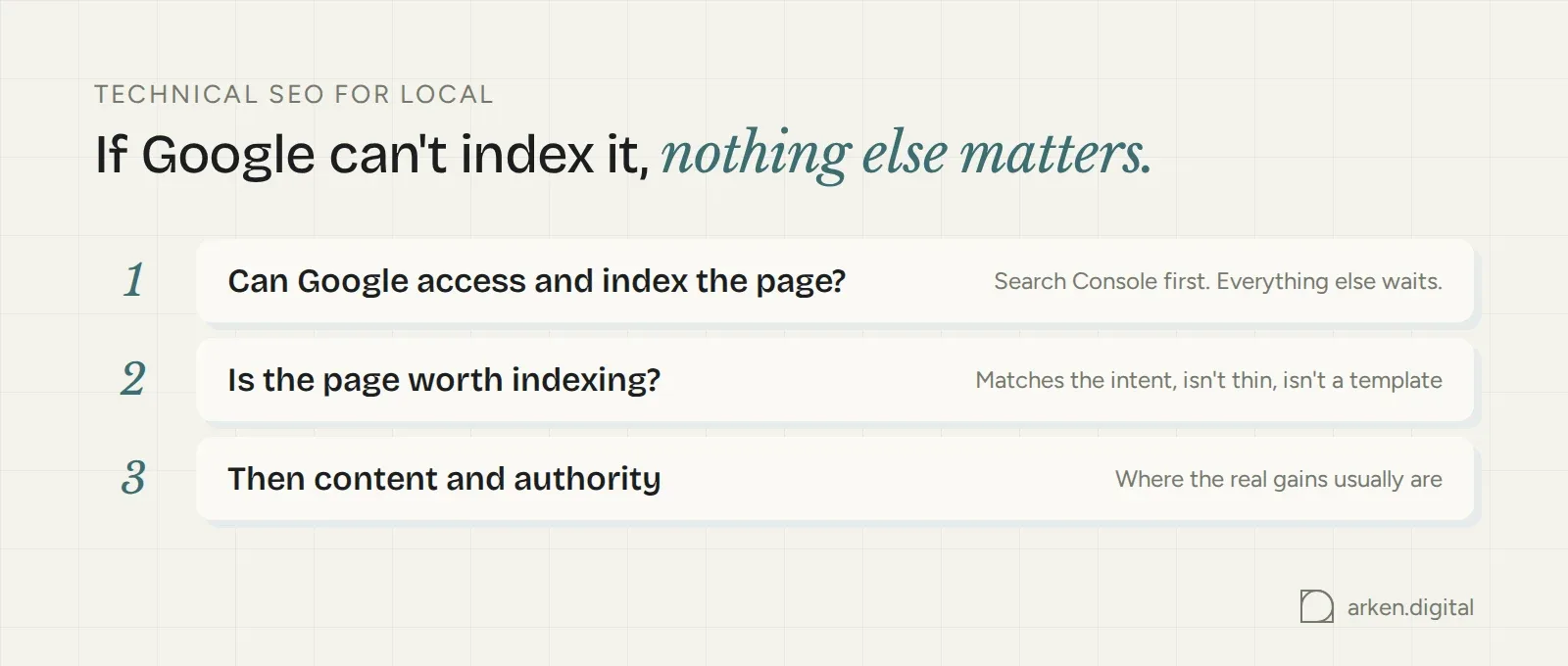
Here's the whole thing in one sentence: if Google can't properly access or index the page, nothing else matters. But for most local businesses, technical SEO isn't where the clever stuff happens. Get the fundamentals right, make Google's job easy, then stop fiddling with technical scores and go and fix the content and authority problems that are actually holding you back.
Most modern CMSs are pretty good from the outset. What you need to make sure of is that your important pages are indexable, the URL structure isn't a mess and the pages themselves are actually worth indexing.
Check whether the page is indexed. If you're unfamiliar with SEO, type `site:yourdomain.com` into Google and see what appears. Better still, inspect the URL in Google Search Console.
Then look at the page itself. Does it match the intent of the search? Are you trying to serve blog content to what should be a service enquiry? Does the website load in a reasonable time?
The technical problems local businesses run into are very different from those on websites with thousands of pages. Get the fundamentals right and, if you're still not where you want to be, in all likelihood it's a content or authority problem, not a technical one.
Key takeaways
- Check that important local pages are indexed before doing anything else.
- Give every location page a genuine reason to exist.
- Keep your real business information accurate and readable.
- Get Core Web Vitals good enough, then move on.
Why technical SEO matters for local search
Google explains local ranking as a mix of relevance, distance and prominence. Those signals only become useful once Google can actually access and understand what you've published.
Local SEO isn't separate from organic SEO. It uses the same crawling, indexing and page-experience foundations, then adds local signals such as consistent business information, a verified Google Business Profile and LocalBusiness schema. Crawl budget is the one bit of that inheritance you can mostly ignore. It matters on sites with thousands of pages, not on a five-location website.
Those local signals reinforce the foundation. They don't replace it. A perfect schema block isn't going to rescue a page that Google hasn't indexed.
Sequencing matters. Before worrying about reviews, citations or another round of page optimisation, check whether the page is actually discoverable and indexed.
So when someone asks how you do local SEO, the first technical step is an indexability check. Open Search Console, look at what's indexed and work from there. We're trying to make Google's job easy by creating good, useful content. Everything below is in service of that, not a separate project.
If you don't have Google Search Console installed, install it.
Core technical requirements for local pages
Before writing more local copy or tweaking technical scores, make sure Google can find the page, understands where it sits and can tell it apart from the other location pages on the site.
Site structure and information architecture
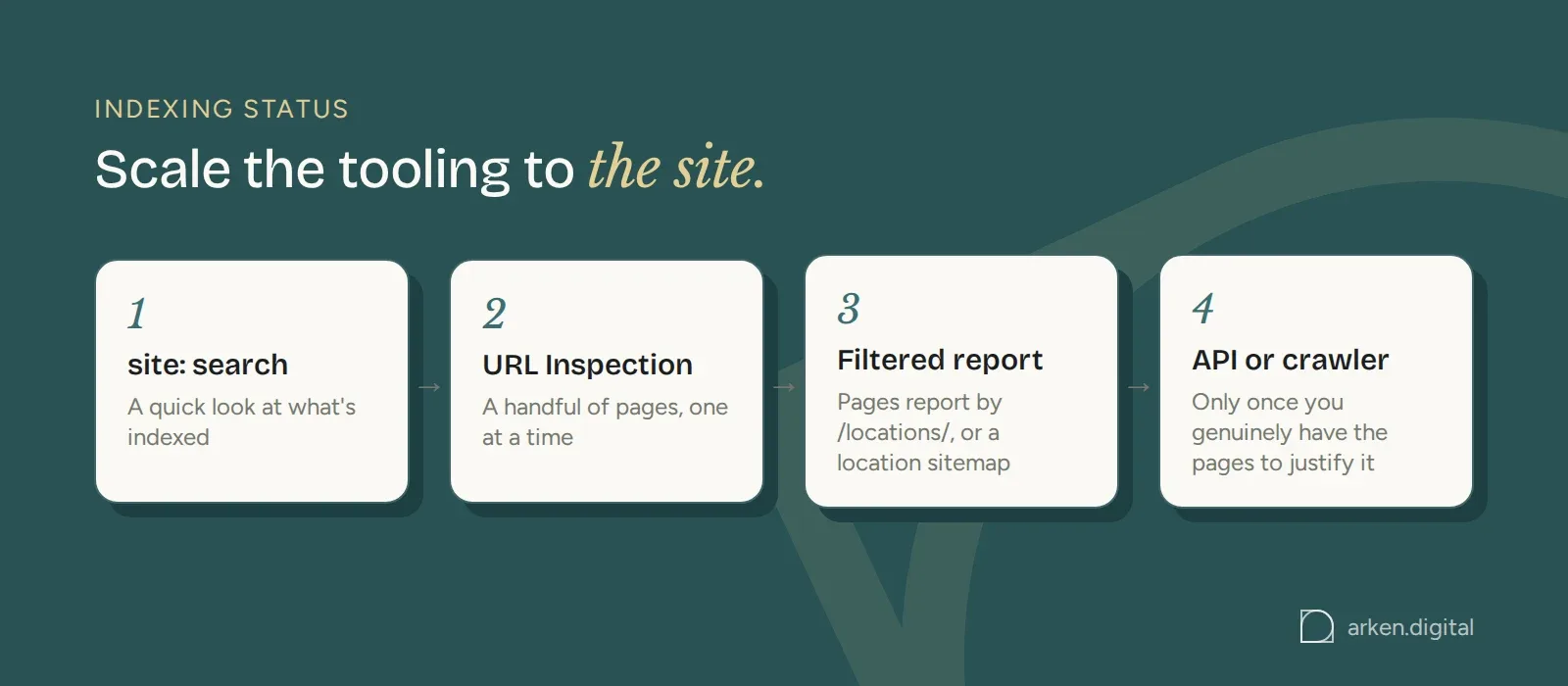
Start with indexing status, and scale the tooling to the size of the site rather than reaching for the biggest tool by default. If you're unfamiliar with SEO, `site:yourdomain.com` is enough to see what's indexed. For a proper check on a handful of pages, the URL Inspection tool in Google Search Console handles one URL at a time. Fine for three location pages, unworkable for eighty. Once you're past that, filter the Pages report by a URL path such as `/locations/`, or submit a location-only sitemap and use the sitemap-scoped report. Only once you've genuinely got enough pages to justify it is it worth pulling the same data through the Search Console API or a crawler such as Screaming Frog.
The exclusion statuses worth checking include "Discovered - currently not indexed", "Crawled - currently not indexed", "Blocked by robots.txt", "Excluded by 'noindex' tag" and "Duplicate, Google chose different canonical".
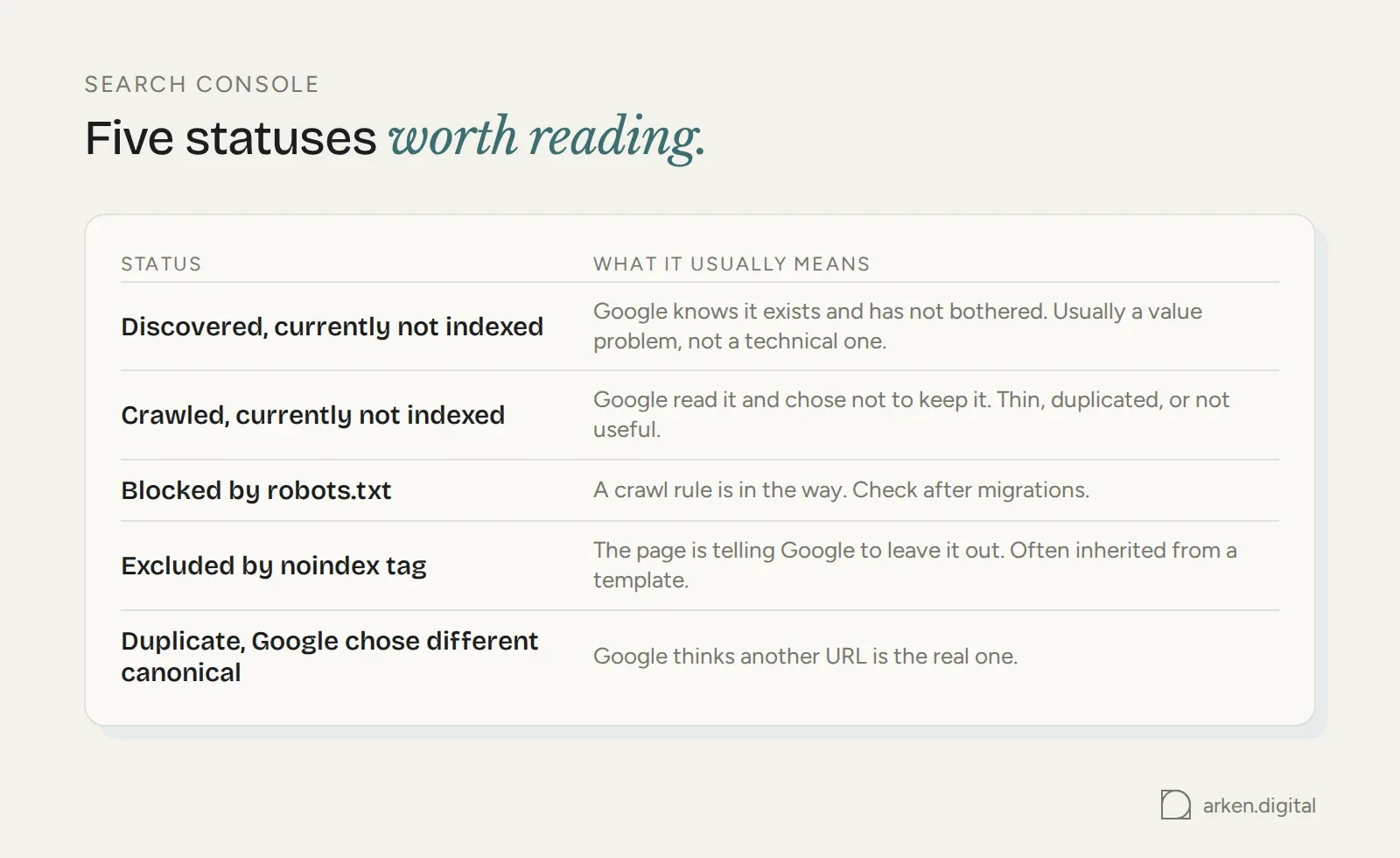
If Google has discovered a page but hasn't indexed it, don't go hunting for an obscure technical fix first. Check whether the page actually deserves to be indexed: whether it's thin, duplicated or genuinely useful to someone who lands on it. That's usually a faster answer than it looks like from the Search Console screen.
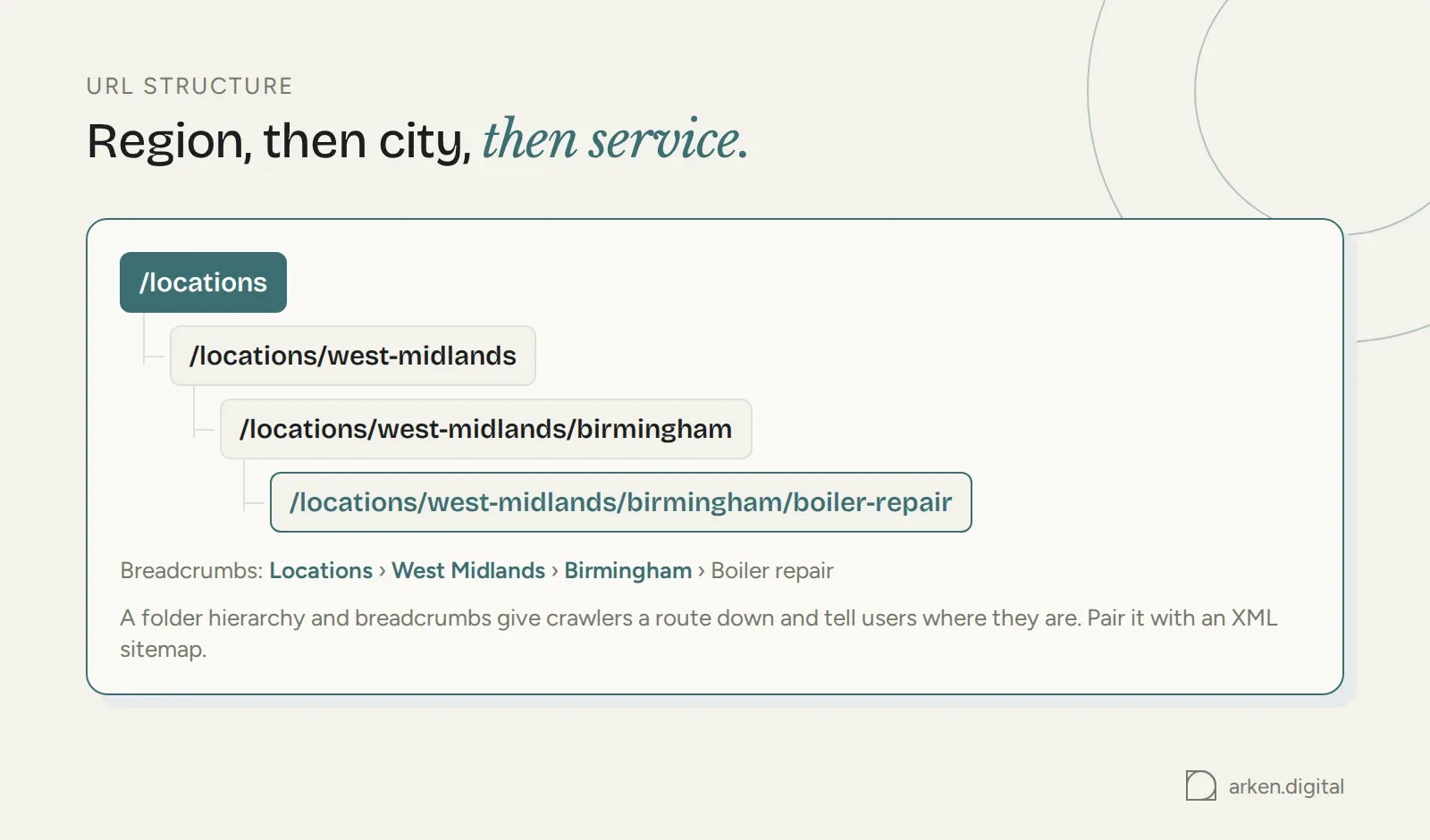
Then look at structure. Keep URLs logical and understandable. Region, then city, then service works well:
`/locations/west-midlands/birmingham/boiler-repair`
A folder hierarchy and breadcrumbs give crawlers a route to deeper location URLs and tell users where they are. Pair that with an XML sitemap so Google has another clear route to the pages you consider important.
Local landing page optimisation
Every location page needs its own title tag, meta description and content built around real local detail. Not a template with the city name swapped in.
Real detail means things that are actually true of that location: the address, the team based there, parking, opening hours, nearby areas served, jobs completed in that patch. If the page could be republished with only the city name changed, it doesn't contain enough location-specific content to justify a separate URL.
Watch for orphan pages too. If a location page isn't linked from the navigation, a locations index or elsewhere on the site, you've made it unnecessarily difficult to discover. Run a crawl and compare what it finds with what you know you've published.
Fix structure and indexing first. Everything after this assumes the page is reachable.
Google Business Profile and schema setup
Claim and verify the Google Business Profile. Verification lets you manage the business information, respond to reviews and control how the business is represented across Google.
Set categories carefully. Use the category that best describes the business as a whole as the primary category, then relevant secondary categories for the rest of what you do.
Then mirror the important business information on the site with structured data.
Implement LocalBusiness schema using schema.org vocabulary, or a more specific subtype where one fits, such as Restaurant, HomeAndConstructionBusiness or MedicalBusiness.
JSON-LD is Google's recommended format for structured data and is easier to maintain than markup scattered through the HTML.
<script type="application/ld+json"> { "@context": "https://schema.org", "@type": "HomeAndConstructionBusiness", "@id": "https://example.com/locations/west-midlands/birmingham/#business", "name": "Example Boiler Care Birmingham", "url": "https://example.com/locations/west-midlands/birmingham/", "telephone": "+44 121 496 0000", "address": { "@type": "PostalAddress", "streetAddress": "12 Example Street", "addressLocality": "Birmingham", "addressRegion": "West Midlands", "postalCode": "B1 1AA", "addressCountry": "GB" }, "geo": { "@type": "GeoCoordinates", "latitude": 52.4796, "longitude": -1.9026 }, "openingHoursSpecification": [{ "@type": "OpeningHoursSpecification", "dayOfWeek": ["Monday","Tuesday","Wednesday","Thursday","Friday"], "opens": "08:00", "closes": "18:00" }], "areaServed": [ { "@type": "City", "name": "Birmingham" }, { "@type": "City", "name": "Solihull" } ], "sameAs": ["https://maps.google.com/?cid=1234567890"] } </script>
Give every branch its own `@id`, built from that branch's URL. Point `sameAs` at the relevant branch listing and use `areaServed` for the towns it covers. For a service-area business with no public address, drop `streetAddress` and keep the relevant locality, region and country information.
Your schema and Google Business Profile should describe the same business. Don't give Google conflicting information.
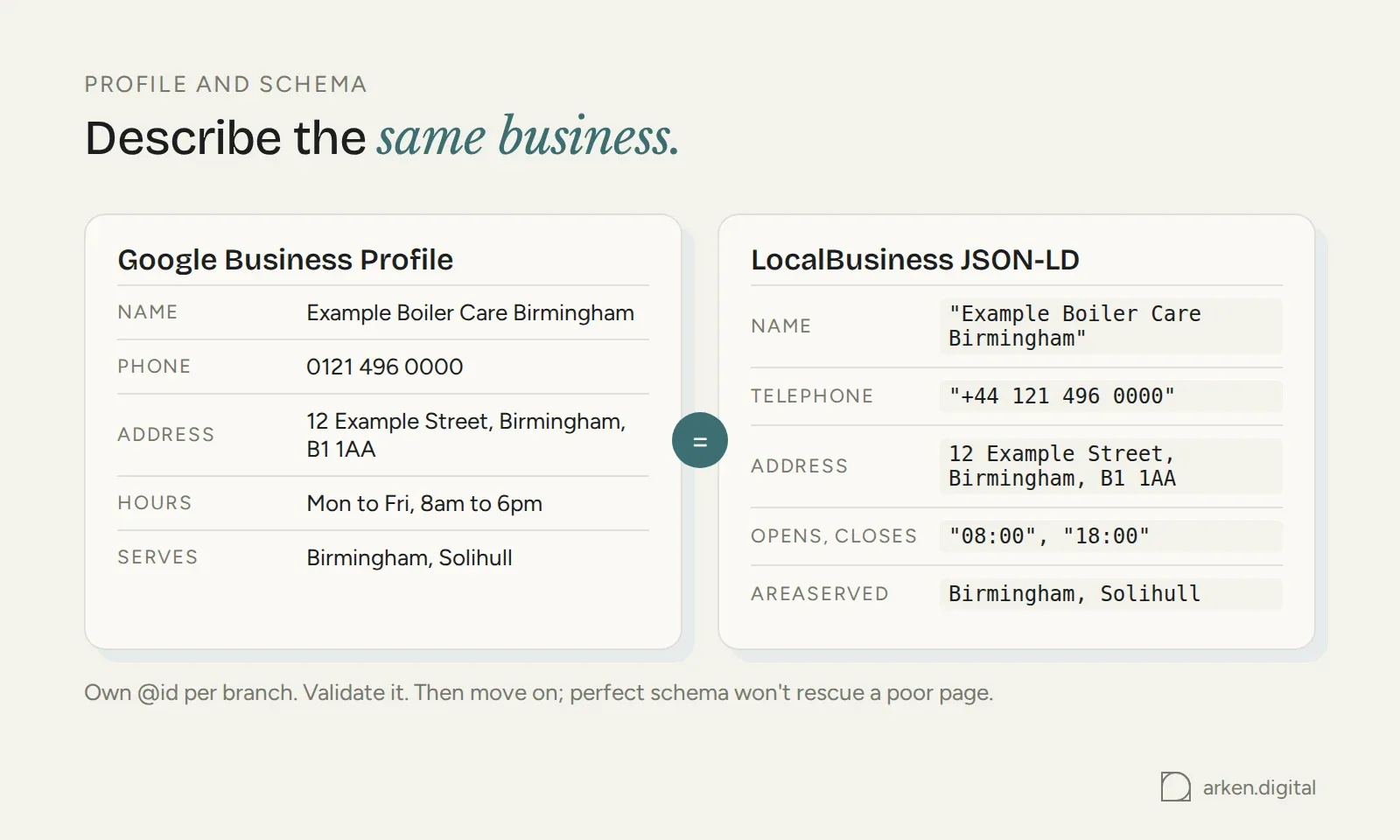
Test the markup before publishing. The Rich Results Test checks markup eligible for Google rich results, while the Schema Markup Validator checks schema.org vocabulary more broadly.
Use schema properly. Validate it. Then move on. A perfect LocalBusiness block isn't going to rescue a rubbish location page.
Consistency and citation management
A phone number baked into a logo file is no use here. NAP (Name, Address, Phone Number) needs to exist as readable HTML wherever it matters on the site, not only inside an image, logo or embedded PDF. You can also mark the address up with PostalAddress schema inside the LocalBusiness block so the information shown to visitors agrees with the structured data.
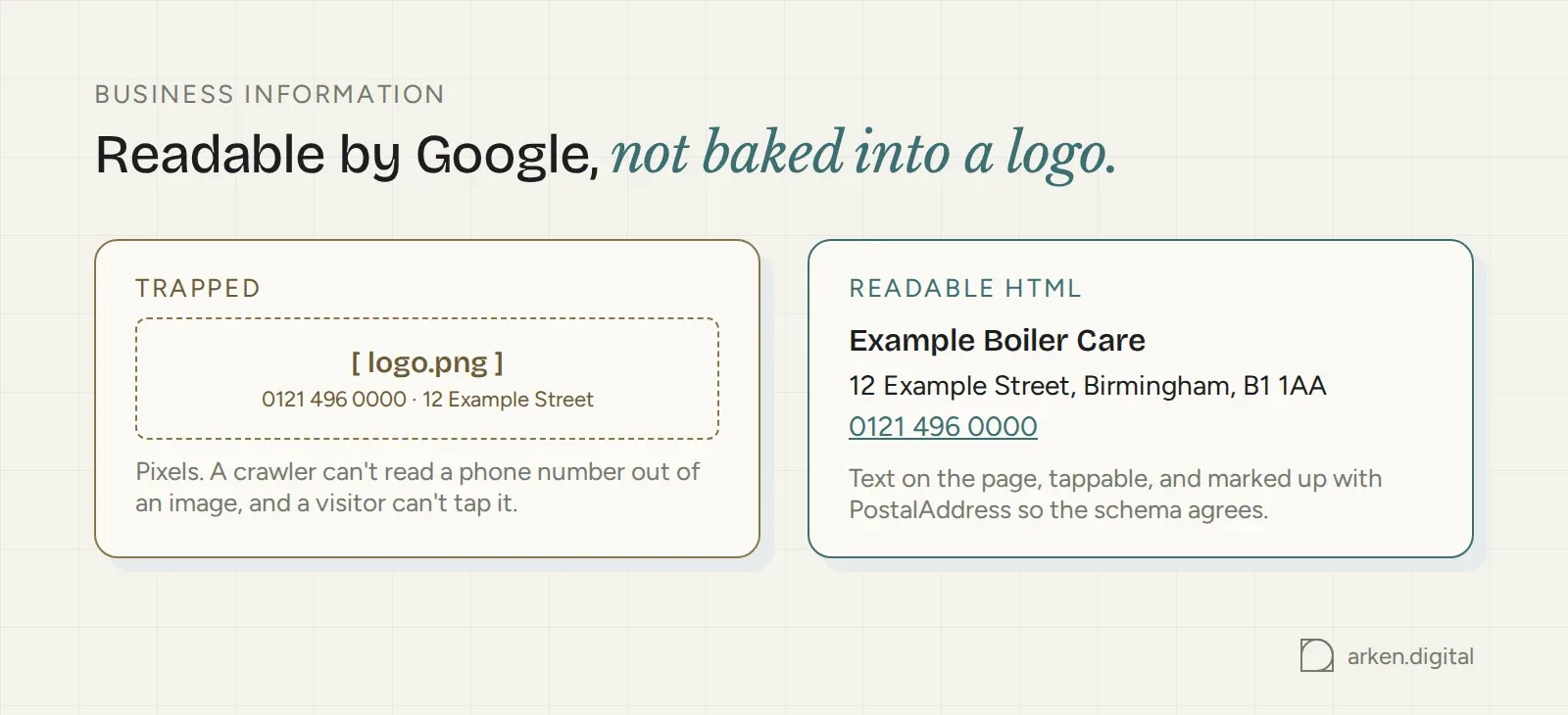
Accuracy matters more than chasing perfect consistency across every citation the business has ever had.
A dead phone number, an old address or a closed location on a listing customers actually use is a real problem. It sends people to the wrong place and gives Google conflicting business information. Fix it. A historical address sitting on a dead directory nobody visits isn't worth the same urgency. That's not accuracy, it's archaeology.
Citation tools such as BrightLocal or Whitespark can help find incorrect listings, particularly if you've got multiple locations or the business has changed address or phone number.
But citation building is fundamentally a data-accuracy job. Before submitting listings, decide on the correct trading name, address and phone number, then use them consistently where it actually matters: the directories and listings people use to find you.
Performance and crawlability
Local searches often happen on phones with immediate intent: someone looking for opening hours, an address or a number to call. The mobile experience therefore matters.
Mobile optimisation for local search
Under mobile-first indexing, Google primarily uses the mobile version of a site's content for indexing and ranking. Treat the mobile version as the main experience to audit.
Responsive Web Design, with one URL serving all devices and CSS handling the layout, is the simplest setup to maintain. One URL means one set of signals, one canonical and one thing to audit.
Check the obvious failures on location pages: tap targets too close together, phone numbers that aren't tappable, maps swallowing the viewport and address text sitting inside graphics.
Serve the site over HTTPS. Google's said as far back as 2014 that it's a ranking signal, but a lightweight one, affecting a small share of queries even then. Reason enough to have it sorted, not a reason to think it's doing much heavy lifting on its own.
Page speed and Core Web Vitals
Core Web Vitals are measured at URL level, so don't assume a fast homepage means every location page performs well. The three metrics cover loading (Largest Contentful Paint), responsiveness (Interaction to Next Paint) and visual stability (Cumulative Layout Shift).
Location pages can perform differently once real photography, maps, review widgets and other third-party embeds are added. Test actual location URLs with PageSpeed Insights rather than obsessing over the homepage, and check field data as well as lab scores. Lab data models a page load; CrUX data reflects real visitor experiences where enough data is available.
Don't stress too much about getting perfect page speed and Core Web Vitals scores.
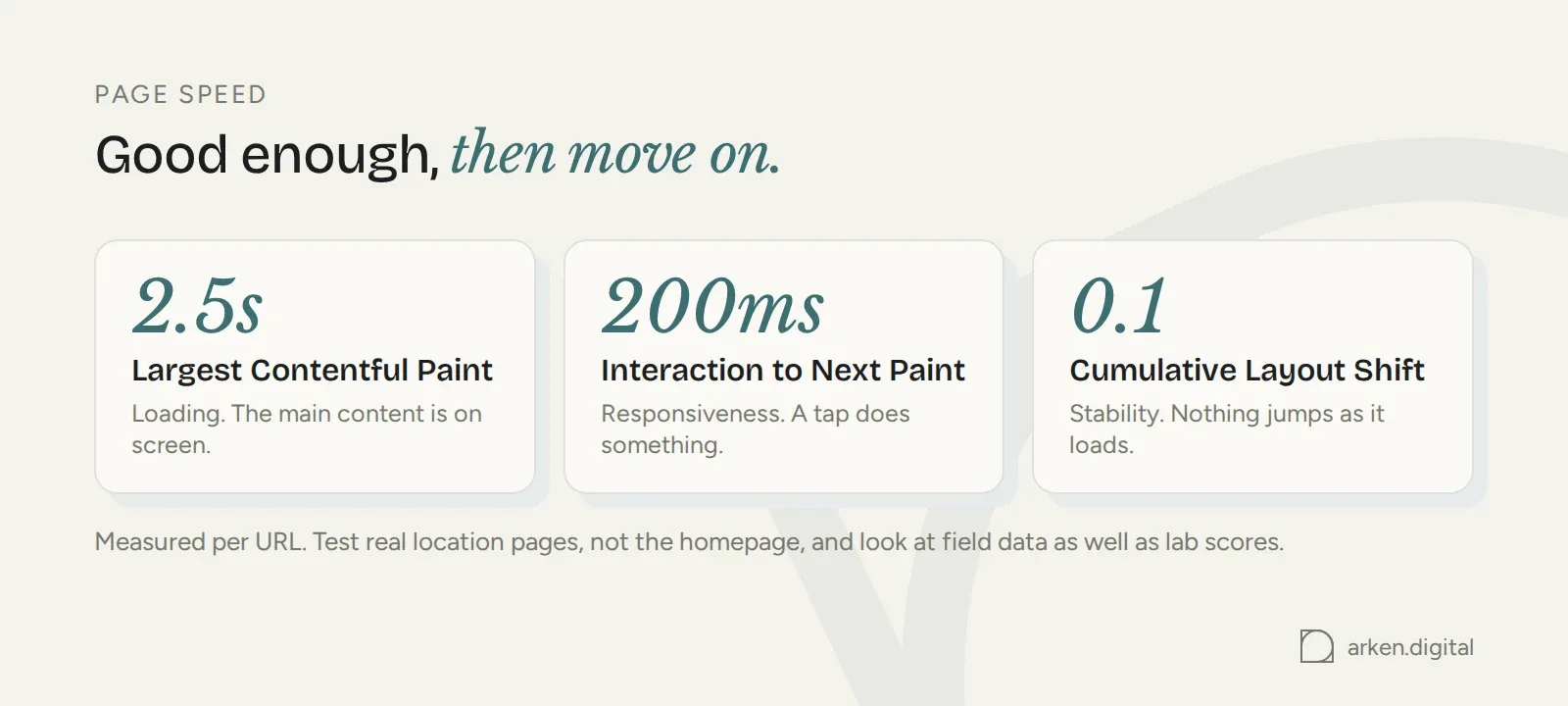
Beyond a certain point, it's diminishing returns. If the site loads properly and doesn't feel slow to use, you're probably fine. Spend the time somewhere it'll make more difference.
Managing multiple locations and regions
Scaling from three location pages to thirty changes the job. Manual work becomes template work, and templates fail predictably: duplicated copy, sitemap gaps and crawl rules affecting whole sections of the site.
Avoiding and managing duplicate content
Location pages that only swap the city name don't give Google much reason to treat them as distinct pages. It's the same problem covered above under local landing page optimisation, just at scale.
Keep the useful structural parts of the template consistent, then change the things that genuinely vary: service-area boundaries, local testimonials, response times, the team at that branch and the services it actually offers.
If a section genuinely can't vary by location, ask whether it belongs on every location page at all or whether it should live on a parent service page.
Sitemaps, hreflang and robots.txt
For larger location sets, give the pages their own sitemap segment or separate location sitemap. It makes Search Console coverage much easier to read because you can compare submitted and indexed URLs for that page type.
Use hreflang for genuine regional or language variants, such as UK and US versions or English and Welsh pages. It isn't a fix for near-identical city pages in the same country and language.
Then check robots.txt after migrations or CMS changes. Robots.txt controls crawling, not indexing. A disallowed URL can still appear in search results if Google discovers it elsewhere, but Google won't be able to crawl the blocked content. One misplaced rule on `/locations/` can stop Google crawling an entire section of the site.
Common technical mistakes and how to audit
Most technical local SEO problems come back to a small number of things.
Common technical errors in local SEO
Templated location pages that only swap the city name are one. Business information trapped inside images is another. Then there are schema errors: the wrong business type, missing address information or markup that simply doesn't validate. And finally, location pages can disappear from sitemaps, inherit a `noindex` tag or become blocked by robots.txt after a rebuild.
Before assuming a ranking drop is a content or authority problem, check indexing. It takes minutes in Search Console and rules out the cheap explanation first.
Conducting a local SEO technical audit
Work page by page where it matters. Site-wide averages can hide the one location page that's broken.
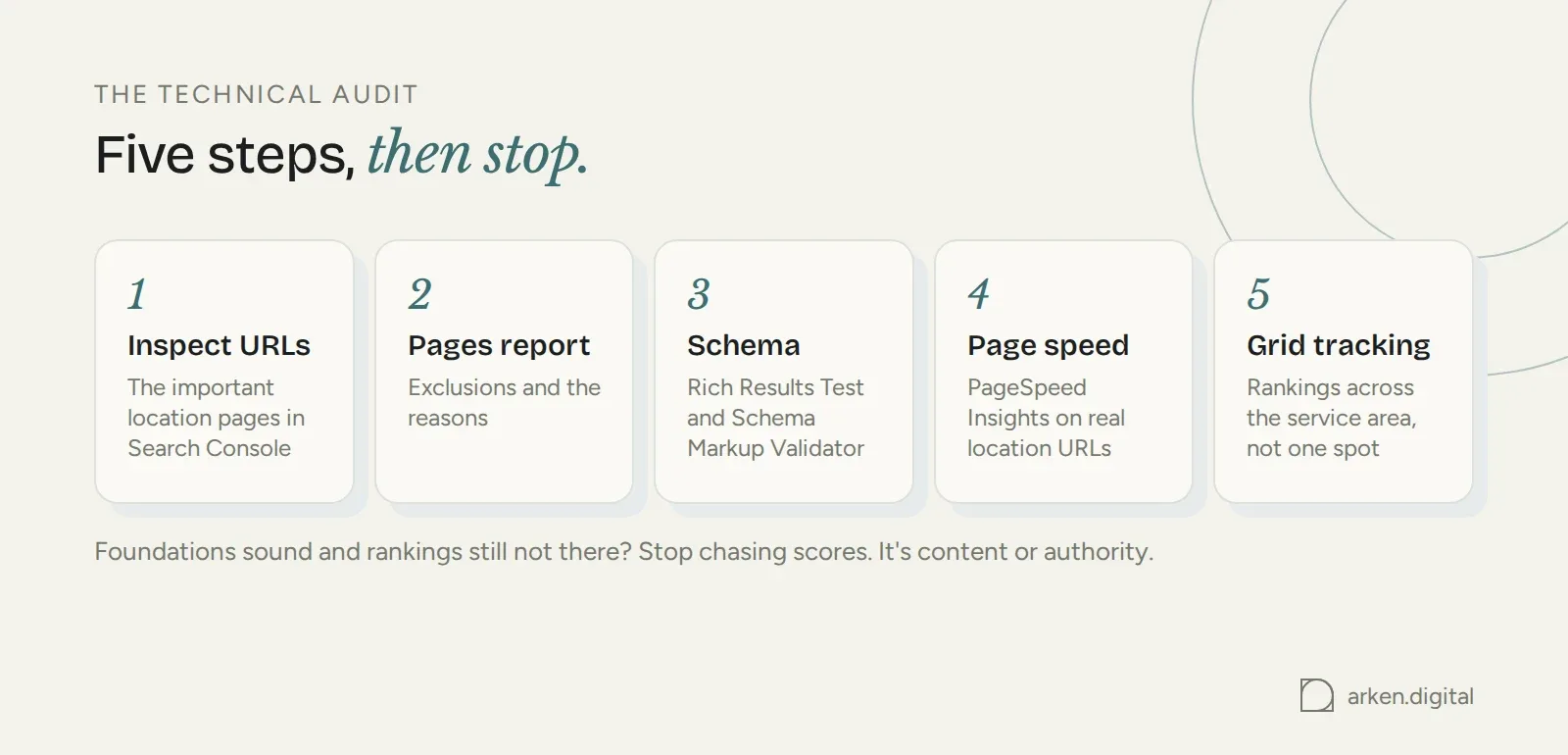
Start in Google Search Console. Inspect the important location URLs, then check the Pages report for exclusions and the reasons behind them. Validate structured data with the Rich Results Test and Schema Markup Validator. Then test actual location URLs in PageSpeed Insights. If you're checking dozens of pages, a crawler such as Screaming Frog or Semrush makes more sense than opening them individually.
Finally, check how rankings vary across the service area. A grid-tracking tool such as Local Falcon shows results from multiple points on the map, which tells you much more than a single rank check from one location.
That's the technical audit: fix anything stopping Google accessing, indexing or understanding the pages, get the site working properly for users, then stop. If the foundations are sound and the rankings still aren't there, stop looking for another technical score to chase. Look at the content and authority instead.
Twelve years in SEO, most of them for local service businesses. If you have a question about what you just read, just email. He answers.
More from RichardWant Richard to look at your site?
Submit your URL and you will get a 15-minute video walkthrough back. Free, no pitch, no follow-up sequence.
Get your free website review