How to optimise your Google Business Profile

On this page · 1 of 7 ⌄
- Key takeaways
- What is Google Business Profile optimisation?
- Getting your profile set up and verified
- Core optimisation steps
- Building trust with photos and reviews
- Troubleshooting common issues
- Cost, timeline and when to get help
A plumber in Leeds with the right primary category, current opening hours and forty real photos has done more for their Google Business Profile than the plumber who claimed the listing three years ago and walked away.
That gap is what optimisation is. It isn't a black box of technical know-how.
The work covers every useful field on the free Google listing: categories, hours, services, description, photos, posts and reviews. Then you keep it current so Google has accurate information to match against relevant local searches in Maps and Search.
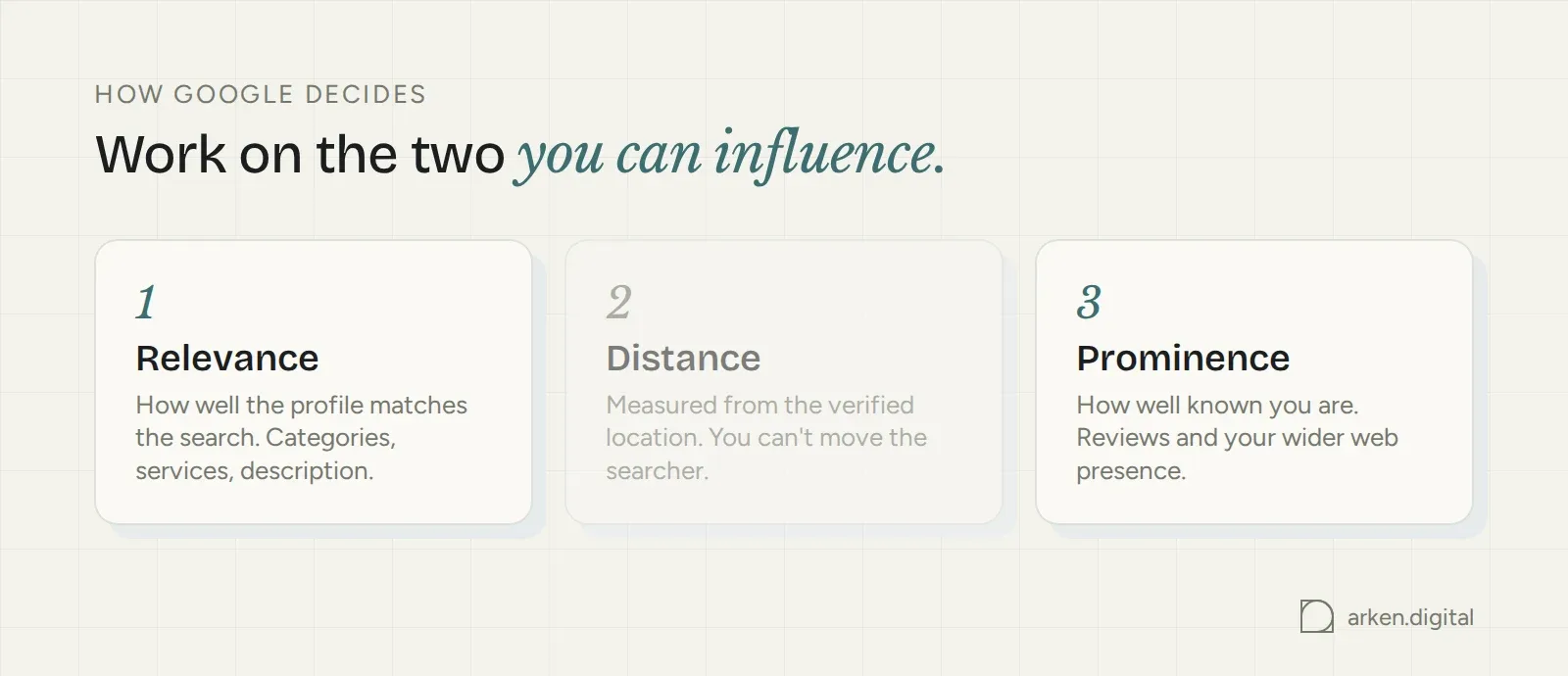
Google ranks local results on relevance, distance and prominence. Your profile gives it much of the information it uses to understand relevance, while reviews and your wider presence contribute to prominence. Distance is the bit you don't control.
Doing it yourself costs nothing. Creating, verifying and managing the profile is free. Paid products such as Local Services Ads sit alongside it but aren't part of the profile.
The only cost comes when you pay an agency or freelancer for the time involved, or use tools for things such as citation building, review management or monitoring across multiple locations.
Key takeaways
- Google Business Profile is free to create, verify and manage. You can't pay Google for a better local ranking.
- Postcard verification can take up to 14 days. Phone, email, video and instant verification are usually same-day, and Google decides which methods you're offered.
- Whitespark's Local Search Ranking Factors survey ranked primary category as the top Local Pack factor. Pick the most specific category that genuinely describes the business.
- Core fields can be completed in a day. Most edits publish within a minute, although some take up to three days to review. Ranking movement takes weeks.
What is Google Business Profile optimisation?
Optimising your Google Business Profile means filling it out properly, choosing categories that match what you actually do and keeping the listing active and accurate.
It isn't a one-and-done job.
Hours change. Services change. Reviews arrive. Photos get old. Google changes the options available to you. The profile needs looking after.
Understanding how Google decides which profiles rank higher
Google describes local ranking in terms of relevance, distance and prominence.
Relevance is how well your profile matches the search. Distance is how close the business is to the searcher. Prominence covers how well known the business is, including reviews and your wider web presence.
Distance is measured around the verified location. That's why a service-area business doesn't suddenly rank evenly across every town it adds to the profile.
You can't move the searcher and you can't buy your way up the local results. So work on the things you can influence: relevance and prominence.
Getting your profile set up and verified
Before any optimisation counts for much, Google needs to confirm that you're authorised to represent the business.
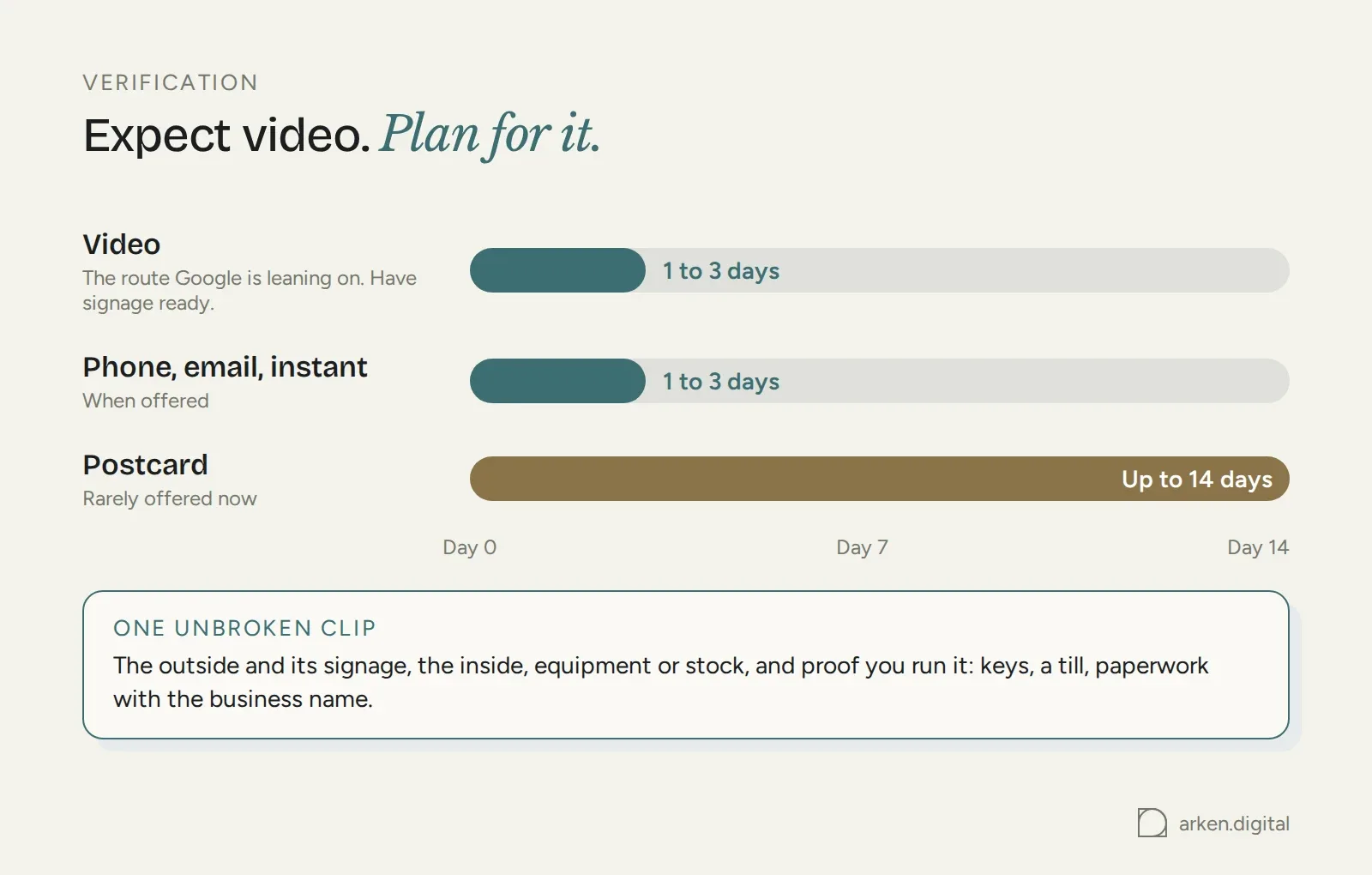
Postcard verification can take up to 14 days after you request it. Phone, email, video and instant verification are usually same-day. Which method Google offers depends on factors including the business category, region, support level and number of locations.
Video verification means filming one unbroken clip. Google may want to see the outside of the location and its signage, the inside, equipment or stock, and something proving that you manage the business, such as keys, a till or paperwork carrying the business name.
This is the direction Google are leaning. Be prepared for video verification and have proper company signage in place.
A profile can exist without being verified. It just won't show reliably in local search until verification is complete.
Service-area businesses without a public storefront can still verify. You confirm the address with Google, hide it from the public listing and then set the towns or postcodes you cover as service areas. Those areas should sit within roughly a two-hour drive of the business location, and Google limits how many you can add.
But don't confuse a service area with a physical presence.
Service-area businesses don't perform as well as businesses with an actual address in the area. Where you can legitimately have a physical presence on Google, we'd take it.
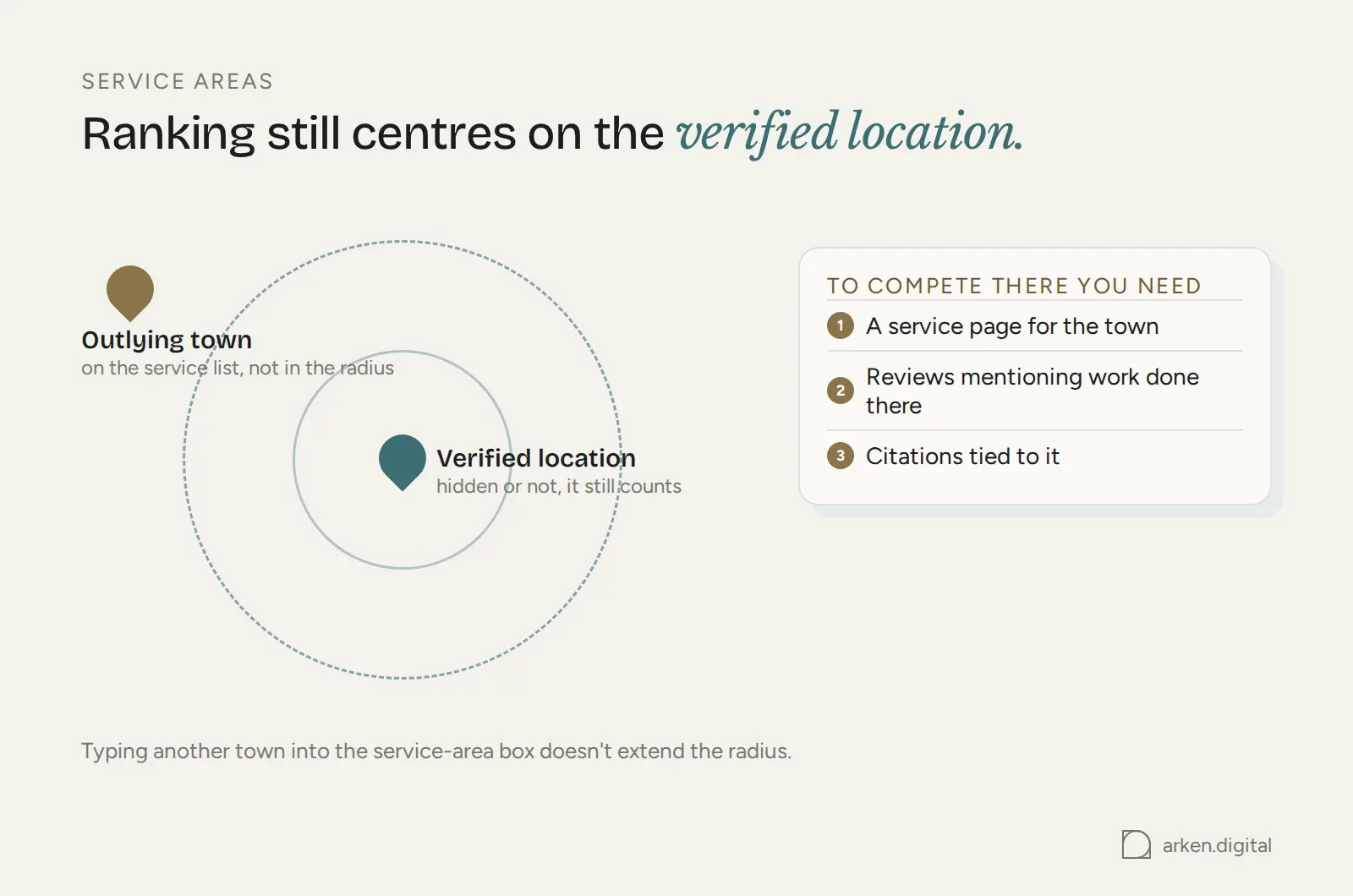
And don't add every town you can think of. Ranking still centres around the verified location. The service-area list describes where you'll travel. It doesn't extend your ranking radius because you typed another town into a box.
If you want to compete in an outlying town, you need actual signals tied to it: a service page on the website, reviews mentioning work completed there and relevant local citations.
Hiding an address keeps a home address off the public profile. Google still holds the address, and the location still matters.
Why a complete profile matters for visibility
Google says customers are 2.7 times more likely to consider a business reputable when they find a complete Business Profile and 70% more likely to visit it.
Google also has more information to work with when the profile is complete. That's the practical reason to fill it out. You're giving both Google and the customer a clearer picture of the business.
A website and a Google Business Profile aren't substitutes for each other.
The profile can win visibility in Maps and the Local Pack. Someone taps call or directions and that can be the enquiry. The website does the deeper job once somebody wants more information.
Core optimisation steps
The biggest optimisation gains usually come from getting the basics right: the information itself, the categories you choose and whether the profile still reflects the business that actually exists today.
Profile information and categories
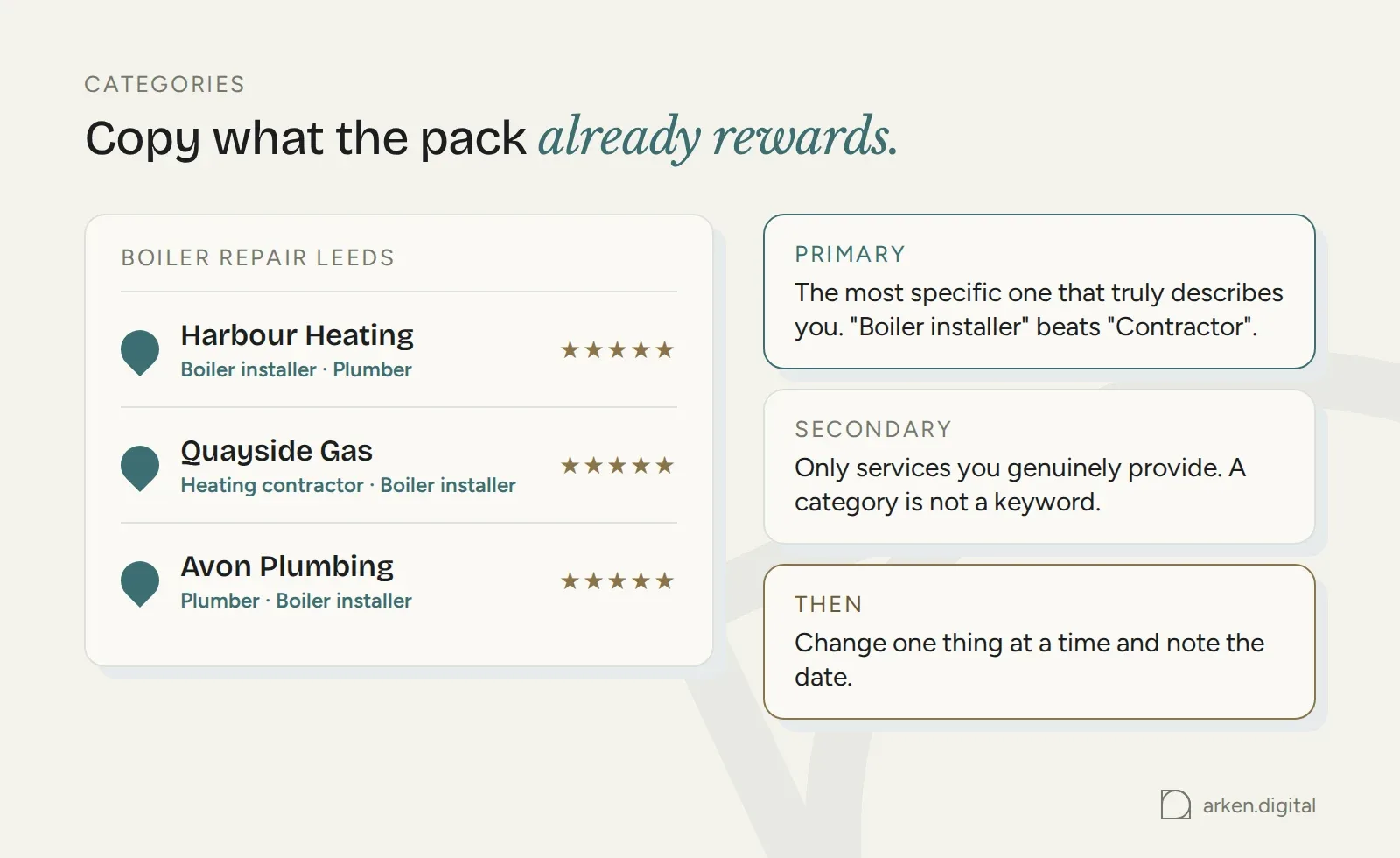
Choose the most specific primary category Google offers.
"Emergency plumber" or "Boiler installer" beats "Contractor" when the more specific category accurately describes the business.
Reverse-engineer it.
Search your main service plus your town, open the profiles ranking above you and look at the category shown under the business name in Maps. A browser extension such as GMB Everywhere can show both primary and secondary categories, so you can see the full category set rather than only the one Google displays publicly.
When two categories genuinely fit, look at what the current winners use as their primary category and add the other as a secondary where appropriate.
Secondary categories still need to describe services you genuinely provide. Adding them purely because you want to rank for another keyword isn't optimisation. It's misrepresenting the business.
Expect movement after changing the primary category. It can change which searches you appear for within days, in either direction.
Change one thing at a time and note the date. Otherwise, when rankings move, you've got no idea what caused it.
Name services the way customers ask for them. "Boiler service" and "emergency drain unblocking" make sense. Your internal job codes don't.
Google pre-populates services based on your categories, and you can add your own when the standard list doesn't cover what you do. Each service can carry a short description, which gives the customer more information while they're deciding whether to contact you.
Attributes are mainly filtering and display features: wheelchair accessible, women-owned, free Wi-Fi, appointment required.
Searchers can filter Maps by some attributes. If one genuinely applies and you haven't selected it, you can disappear from a filtered set of results you otherwise belong in.
Products are separate from Services. A product carries an image and a price and suits something you sell as an item. A service describes work you carry out.
Keywords and description strategy
The description field gives you 750 characters.
Use them to explain what you do, who you do it for and where. Write for somebody deciding whether to call you, not for a crawler.
Use the language customers use.
If people search for "same day laptop repair" and that's genuinely what you offer, there's nothing wrong with saying "same day laptop repair". That's describing the service properly, not stuffing a keyword.
What you can't do is turn every field into a ranking experiment.
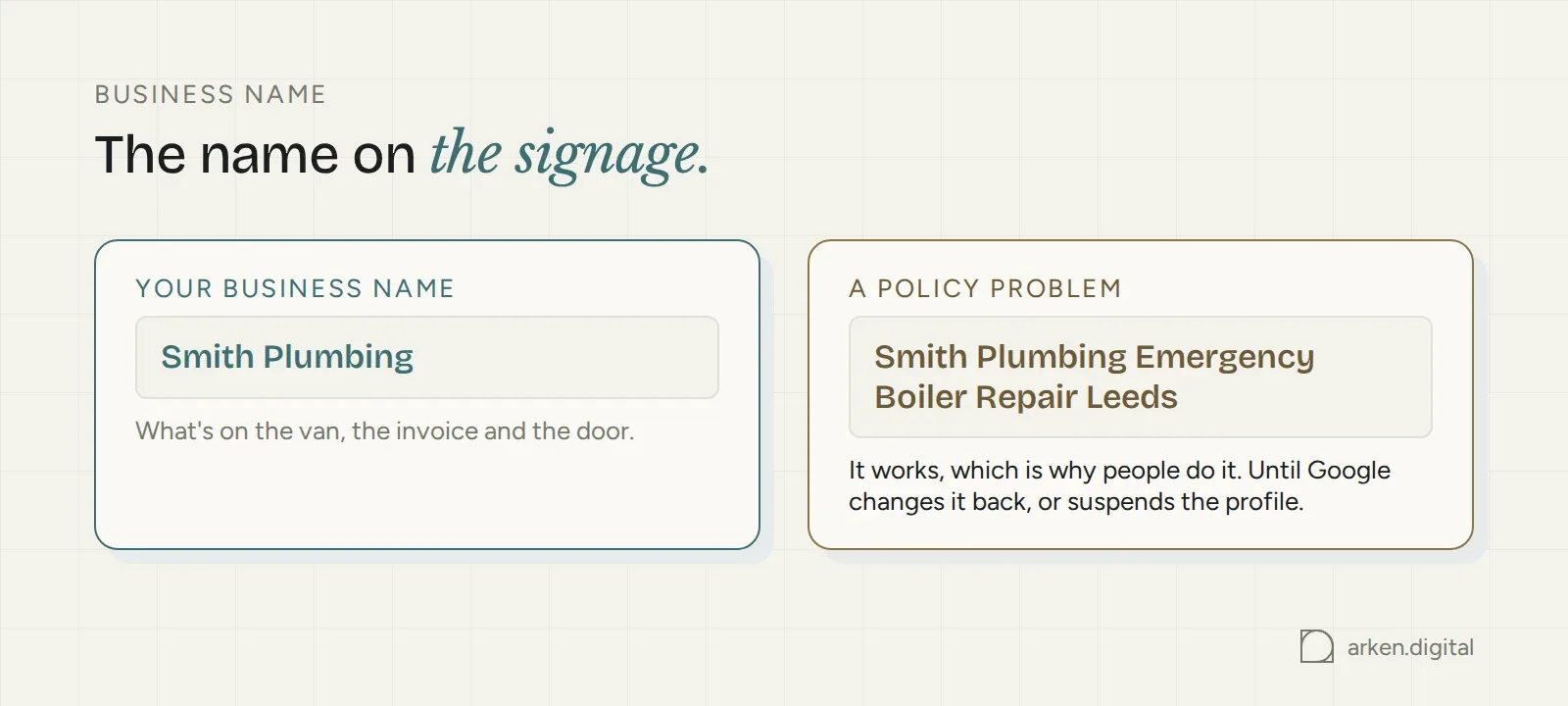
Google's guidelines on representing your business prohibit keyword-stuffed business names and descriptions. The business-name field is for your real-world business name.
"Smith Plumbing" doesn't become "Smith Plumbing Emergency Boiler Repair Leeds" because the second version contains more keywords.
Using the optimisation checklist
Profiles drift.
Christmas changes your hours. A service gets dropped. A phone number changes. A category that made sense two years ago stops being the best fit.
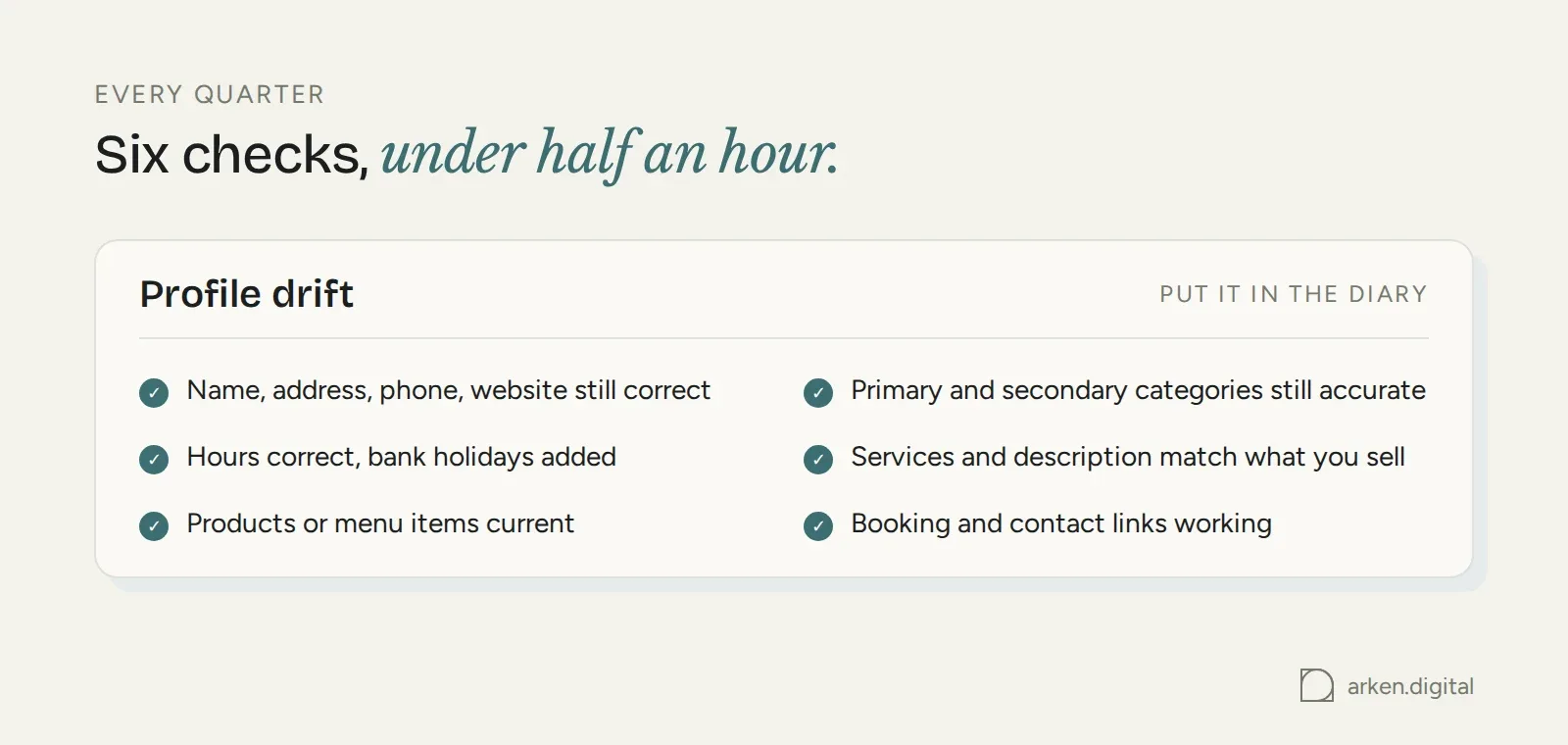
Run a checklist every quarter. These six checks should take under half an hour for a single location:
- Name, address, phone and website still correct
- Primary and secondary categories still accurate
- Opening hours correct, including special hours for upcoming bank holidays
- Services and description still reflect what you sell
- Products or menu items current
- Booking and contact links still working
Put it in the diary.
A quarterly check catches boring problems before a customer turns up to a closed door and leaves a one-star review about it.
External citations
Your phone number might appear on your website, a trade body profile and four directories. If somebody can find the business through those listings, the information needs to be right.
That's the useful way to think about citations.
They are mentions of your business name, address and phone number across directories, trade bodies, local listings and social profiles.
Keep the important ones accurate.
Don't spend three days hunting down an address variation from ten years ago because somebody told you every citation on the internet has to match character for character. "Unit 4, Mill Street" and "4 Mill St" aren't where we'd spend our time if both clearly describe the same real business.
But if Yell, a trade body, an industry directory or another prominent site can actually send you a lead, make sure the address, phone number and other contact information are current.
Not necessarily because Google is going to punish an abbreviation. Because a potential customer needs to be able to reach you.
Don't waste time trying to find every wrong address. Focus on the citations that matter.
Building trust with photos and reviews
Categories and accurate information help get the profile into the right results. Photos and reviews help somebody choose you when they're looking at three businesses side by side.
Photo strategy and best practices
Upload real photos: the storefront, interior, team, vans, products and finished work.
If you don't add any, Google may use a Street View image instead. That image could be five years old. It could show the wrong unit or the previous tenant's signage.
Give Google something better to use.
Start with the basics. Exterior photos from the direction customers approach, so they can recognise the place. Interior photos showing what it's actually like inside. Add a logo and cover photo.
Then keep adding.
A handful of new photos every few weeks keeps the profile current instead of freezing it at the week you set it up.
Shoot in good light, keep the images sharp and leave the heavy filters alone. Photos of your own work tell a customer more than stock photography ever will.
Managing reviews and ratings
Ask genuine customers for reviews when they're happiest with the job.
A short link sent by text works better than asking somebody in person and hoping they remember when they get home.
Generate the link from the "Ask for reviews" button in the profile dashboard. Google gives you a short g.page URL that opens the review box directly.
A message can be as simple as: "Thanks again for today, [name]. If you were happy with the job, a quick Google review really helps us: [link]. Takes about a minute."
Set a pace you can actually maintain.
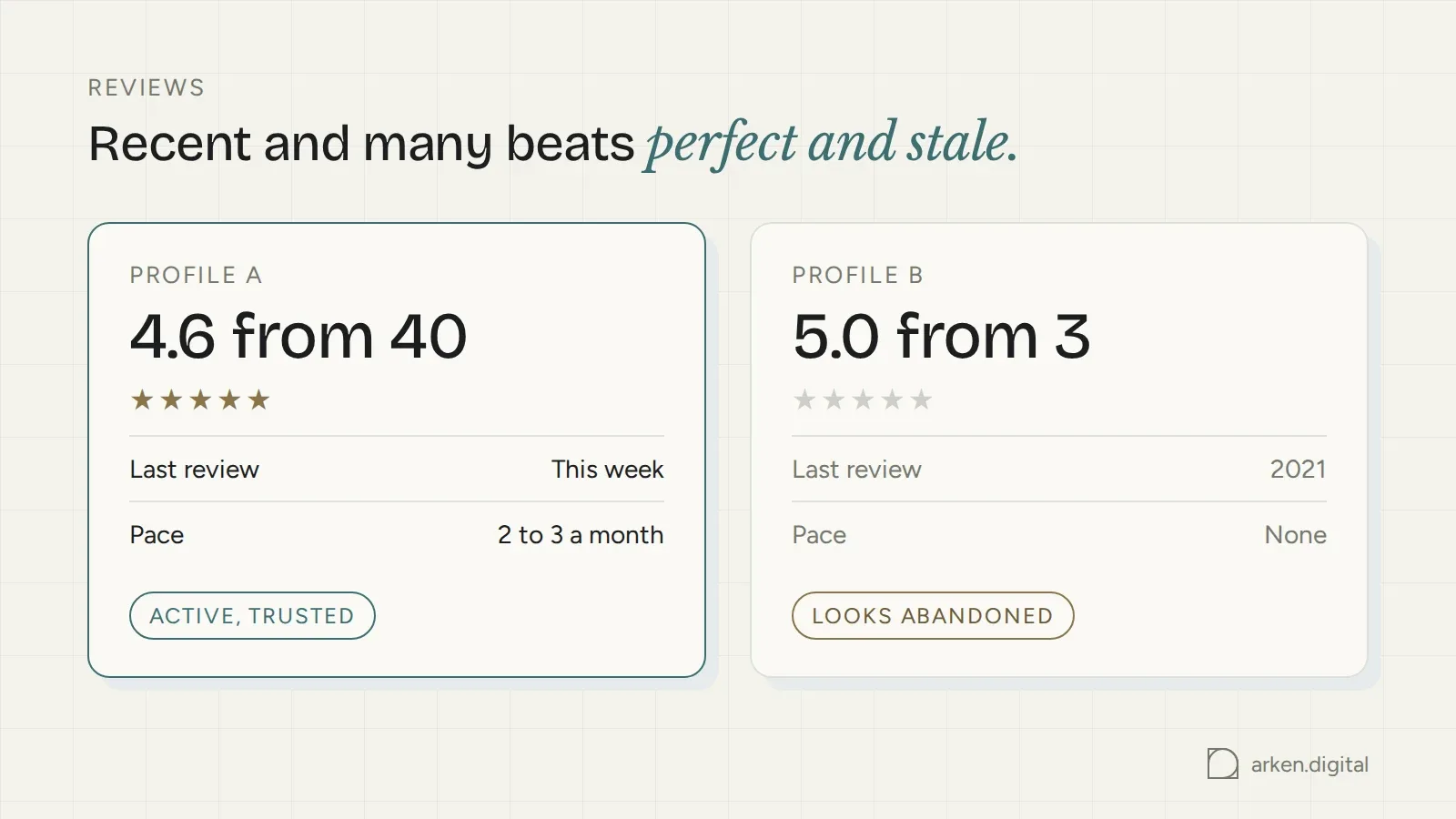
Two or three new reviews a month beats twenty in a fortnight followed by nothing for a year. If you want a target, look at the businesses ranking above you for your main search, count their reviews and work towards the middle of that range.
Respond to every review.
Positive reviews get a brief thank you. Negative reviews get a calm, specific response that addresses the problem without turning the review section into an argument.
Star rating, review recency and review volume all matter when somebody compares nearby competitors. A 4.6 average from 40 recent reviews tells a very different story from 5.0 based on three reviews left in 2021.
Never buy reviews or offer customers incentives for leaving them. That breaches Google's review policies and puts the profile at risk.
Handling questions and answers
The Q&A section is public. Anyone can ask a question, and anyone can answer one.
So don't leave it entirely to strangers.
Seed it with the questions customers genuinely ask: parking, payment methods, callout charges, lead times. Then answer them directly from the business account.
Upvoted answers display first. A wrong answer with a few votes can sit there for months if nobody from the business is paying attention.
Check the section regularly and correct anything inaccurate.
Troubleshooting common issues
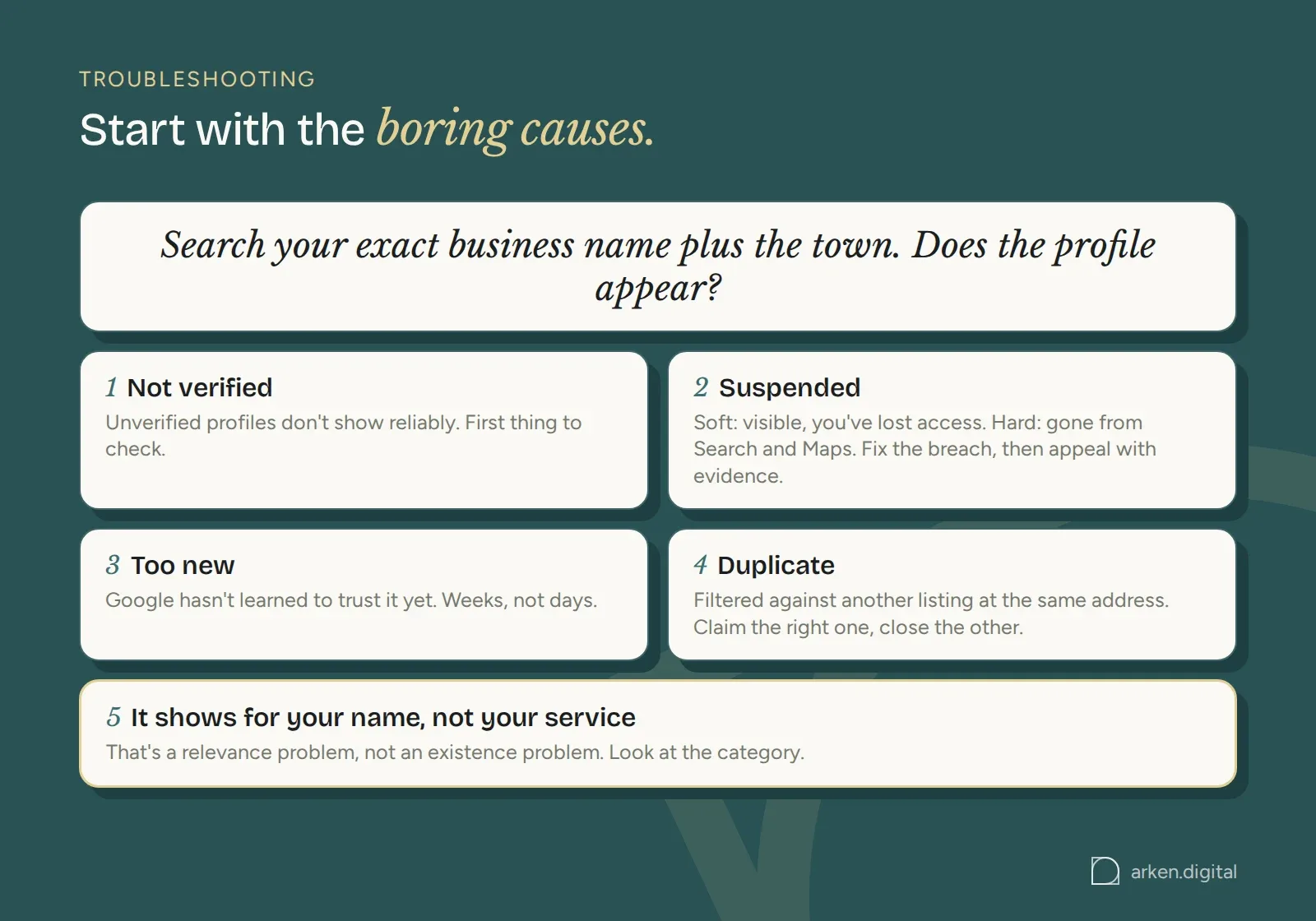
Most Google Business Profile problems come down to a handful of causes. Start with the obvious ones before assuming something mysterious has happened.
Why your profile isn't showing
Start with verification.
An unverified profile won't show reliably, and it's the first thing worth checking.
After that, work through the likely causes. The profile may have been suspended for a policy breach. It may be too new for Google to trust yet. Or it may be getting filtered as a duplicate of another listing at the same location.
A suspension comes in two forms.
A soft suspension leaves the listing visible but removes your management access, usually after an edit triggers a check.
A hard suspension removes the listing from Search and Maps entirely.
Fix the breach before appealing.
Put the business name back to what's actually on the signage. Use a real staffed address. Remove a second profile for the same location.
Then submit the reinstatement request with evidence that the business operates where you say it does. That might include signage photos, a lease or utility bill in the business name, licences or branded vehicle livery.
Expect weeks rather than days.
If the first appeal is rejected, don't just submit the same case again. Change something concrete first or provide evidence that actually addresses the problem.
Sometimes the problem isn't suspension at all. It's a category mismatch.
You may be ranking perfectly well for searches covered by the category you've chosen and be invisible for the ones it doesn't.
Search your exact business name plus the town. If the profile appears there but not for your target service searches, you're looking at a relevance problem rather than an existence problem.
Fixing duplicate listings
Duplicates happen when a business moves, rebrands or gets listed automatically from another data source.
Search Maps using the business name, old business name, phone number and address.
Then work out which listing is the correct one, usually the profile holding the reviews and verification.
Claim that one.
For the incorrect listing, use "suggest an edit" to mark it permanently closed or moved to the correct listing if the address has changed.
Google reviews suggested edits and doesn't publish a fixed turnaround time.
If the duplicate is still live after you've submitted the edit, take it to Google Business Profile support and use the duplicate-listing process. Google can merge listings manually where appropriate.
Avoiding costly mistakes
The mistakes that cost the most visibility are usually dull ones.
Keyword-stuffed business names. Categories that are wrong or too broad. Important listings carrying a dead phone number or an old address.
The awkward thing about keyword-stuffed business names is that they work.
That's why people keep doing it.
But you're always carrying the risk that Google changes the name back or suspends the profile. You're trading a potential ranking benefit for a policy problem.
Then there are reviews left unanswered for months, which makes the business look like nobody is paying attention.
And staleness.
A profile with no new photos, no posts and no updates since last year can still rank. But when somebody opens it next to a competitor that's clearly active, you've made the decision harder for yourself.
Profile optimisation vs broader local SEO
Your Google Business Profile is one part of local SEO. It isn't the whole thing.
Local SEO also covers website structure, service and location pages, on-site content and links pointing to the domain.
A well-optimised profile doesn't compensate for a poor website with no useful service pages.
And the reverse is true too. A good website doesn't mean you can ignore the profile when the Local Pack is sitting above the organic results.
Practices to avoid that can get your profile suspended
Some shortcuts carry a real risk of suspension, and getting the profile back can be slow.
Virtual offices, mailbox addresses or addresses where the business doesn't genuinely operate. Google requires a real location with real staff during the stated hours.
Buying reviews, incentivising customers to leave them or having staff post reviews. Google's review content policies prohibit it.
Using call-centre or tracking numbers in place of a local number that actually reaches the business.
Creating a second profile for the same location because you want another set of keywords.
And misrepresenting the category. If you're a claims introducer, don't list the business as a solicitor because you want to appear for solicitor searches.
If the tactic depends on Google believing something about the business that isn't true, don't build the profile around it.
Cost, timeline and when to get help
How long this takes, and whether you should do it yourself, mostly depends on how many locations you're managing.
One location is a manageable afternoon followed by quarterly upkeep.
Twenty locations is a different job.
That's usually where outside help starts making more sense.
Timeline and quick wins
You can fill in every core field in a day.
Categories, description, services, hours and the first batch of photos are an afternoon's work for a single location.
Verification can add up to 14 days if Google sends a postcard. Phone, email, video and instant verification are usually same-day.
Ranking changes take weeks rather than days.
Most profile edits publish within a minute. Some take up to three days for review. Reviews need time to accumulate.
The quickest wins are usually getting the primary category right, fixing the business name and uploading the first set of real photos.
DIY vs professional help
A single-location business with a bit of time and patience can do nearly all of this itself.
Nothing in the core work requires specialist software or access you don't already have.
Paying someone buys you their time, not a better ranking.
Google sells no such thing.
Outside help starts making sense when you're managing multiple locations, cleaning up large numbers of important old citations, dealing with duplicates that won't merge or handling reviews at volume.
And remember that the profile and website do different jobs.
The profile wins initial visibility, calls and direction requests. The website carries the deeper content and conversions.
Most businesses need both.
Monitoring your profile performance and analytics
The Performance tab inside Google Business Profile shows what people did after finding you: calls, direction requests, website clicks, messages and the searches that surfaced the listing.
Check it monthly.
Pay particular attention to the search terms report. It shows the queries you're actually matching, which can be quite different from the ones you assumed Google associated with the business.
Then pair that with Google Analytics 4.
GA4 shows what happens after somebody reaches the website from the profile: the sessions, landing pages and enquiries that follow.
Together, they answer the question that matters.
Is the profile just getting seen, or is that visibility turning into work?
Twelve years in SEO, most of them for local service businesses. If you have a question about what you just read, just email. He answers.
More from RichardWant Richard to look at your site?
Submit your URL and you will get a 15-minute video walkthrough back. Free, no pitch, no follow-up sequence.
Get your free website review